
Start with attendance and the session
The booking creates the register, attendance identifies the children who were present, and the practitioner records one shared session reflection before adding any child-specific detail.
Forest School observations with continuity
Oakline connects each child's booking and attendance to the session reflection that follows. Practitioners can add a child-specific headline, observation and next step, use the headline to name a development area or learning focus, share published moments and consent-aware photos with parents, and give families a PDF export for their selected child and date range.
Guides and feature details
Use the Help Centre for step-by-step guidance or check the feature matrix for current availability and conditions.
Designed around the work
Oakline keeps the customer journey and the provider workflow connected from the first booking through to session delivery and reporting.
The booking creates the register, attendance identifies the children who were present, and the practitioner records one shared session reflection before adding any child-specific detail.
For a meaningful moment, add a headline or learning focus, the observation itself and an optional next step. Recent published observations remain visible to support continuity.
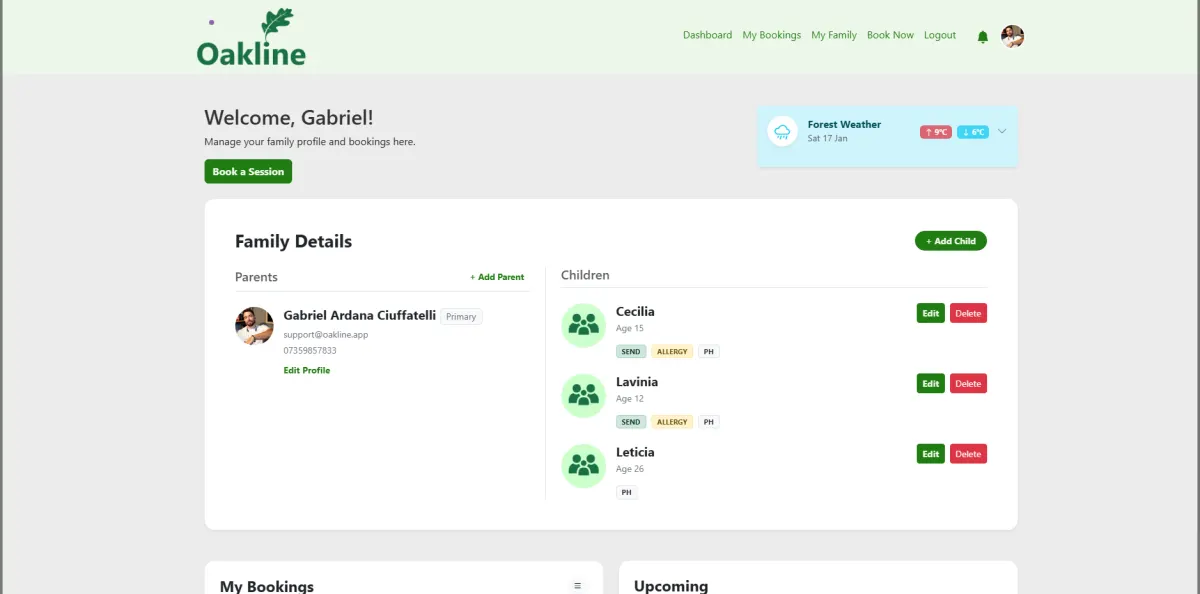
Parents use their private family portal to move between Moments, Development, Gallery and Attendance, then export the selected child and date range as a PDF.
One connected workflow
Oakline carries confirmed bookings into the register. Once attendance is recorded, the same session occurrence becomes the context for a general reflection, individual child observations and tagged session photos. Practitioners can write these text observations with no signal, ready to synchronise when connectivity returns. Photo upload still requires an internet connection.
A child observation can include a short headline naming the moment, development area or learning focus; the practitioner's reflection or observation text; and a next step describing the current direction. These are narrative records, not generated grades or formal assessments.
Drafts remain with the provider. Once published, parents see only records associated with their own children. Photos depend on child tagging, recorded photo permission and the provider's safeguarding judgement. Published entries accumulate into a timeline for that child rather than resetting each session, so a family opens their account to a continuing record, not a one-off note.
Families choose separately whether photos of their child may be used for internal records such as Learning Journeys, on the provider's website, on social media and in marketing materials such as flyers or newsletters, or not at all. When a practitioner adds photos to a Learning Journey, every child present in that session is listed for tagging, and any child without internal-use consent is clearly marked "No consent" next to their name so staff can see it while they work. Oakline does not use facial recognition or any automatic image identification — a member of staff selects each child manually.
Included capabilities
Questions, answered
Yes. Oakline Learning Journeys connect a session reflection with optional child-specific observations, next steps, consent-aware photos, attendance context and a private family view.
Yes. For a child marked present, a practitioner can add a headline, observation text and optional next step. The headline can name a development area or learning focus, and recent published observations are shown while the practitioner writes.
Yes. Practitioners can write headline, observation and next-step text with no signal, and it queues to synchronise once connectivity returns. Adding photos to an observation still requires an internet connection.
Yes. Parents can select their child in the private family portal and review published Moments, Development, Gallery and Attendance views for a chosen date range. Drafts and records for other children are not shown.
Yes. Session photos can be tagged to children who were present. Family visibility depends on that child's recorded photo permission, the tag and the provider's publication and safeguarding decisions.
Yes. A family can give separate consent for internal records (including Learning Journeys), the provider's website, social media and marketing materials, or withhold consent entirely. These are independent choices, not one combined setting.
When tagging a photo in a Learning Journey, every child present in that session is listed, and any child without the relevant consent is labelled "No consent" next to their name. Oakline does not use facial recognition to identify children in photos.
Yes. Parents can export the published Learning Journey for a selected child and date range as a PDF. The document can include journey notes and photos, with attendance added when selected.
Confirmed bookings populate the register, attendance identifies who was present, and that session occurrence anchors the reflection, child observations and tagged photos shared afterwards. Observation writing works with no signal and queues to synchronise later; photo upload still requires connectivity.
Create an account without a card, or speak to us about your current booking workflow.