
What is being delivered this month?
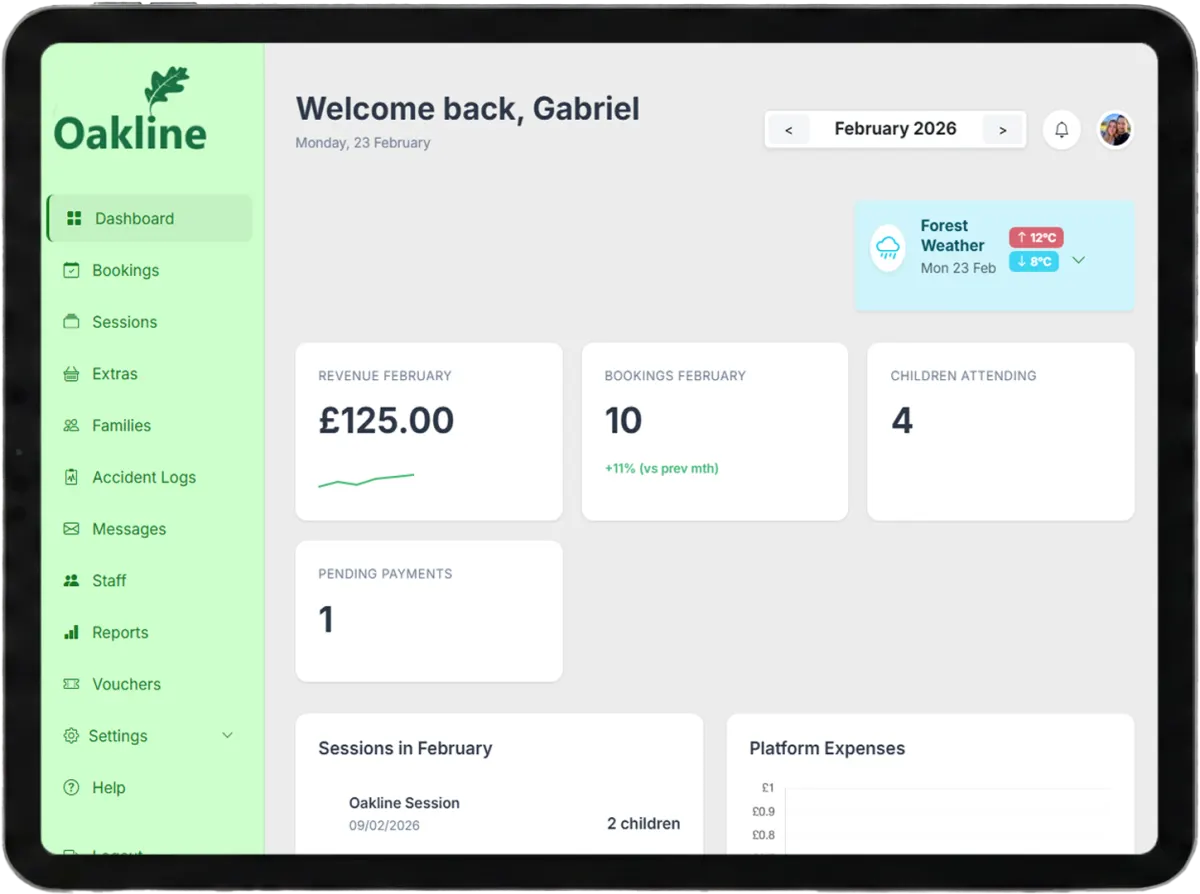
Groups paid booking value by the session occurrence date. It supports capacity, attendance and programme planning.
Example: paid in August for a September session → shown in September.A real transaction ledger, not just a total
Oakline turns confirmed booking payments into a cash-basis financial view, a session-level revenue summary and a ranked family activity report. The Transactions tab goes further: every payment shows its status, method, refund or credit detail, fee breakdown and discount source, filterable by status, customer and date, and exportable as CSV. Every total states what it measures so providers can investigate the number instead of trusting a mystery dashboard.
The number has a meaning
When you select August, Oakline reports qualifying payments recorded in August, even if the booked session takes place later. This makes the report useful for following money received and explains why it can differ from the session-date Dashboard.
Financial report
Filter by month, year or a custom date range, transaction status, or search by customer name or email. Summary figures and transaction rows update from the same payment set, which can be printed, exported as PDF, or downloaded as CSV.
Metric definitions
Two useful views
They should not be forced to match when bookings are sold before the month in which they run.
Groups paid booking value by the session occurrence date. It supports capacity, attendance and programme planning.
Example: paid in August for a September session → shown in September.Groups qualifying transactions by the payment creation date. It supports payment, fee and reconciliation review.
Example: paid in August for a September session → shown in August.Session-level summary
Oakline allocates qualifying revenue and fees from each payment to the linked sessions. The summary separates the number of purchases from the number of booking records, which matters when one checkout covers siblings or several dates.
Families Activity
Select a custom date range to rank families by net confirmed spend. The report separates qualified paid value from cancelled or excluded allocations and includes eligible shop orders.
Read the Families Activity guideHonest reporting states
An incomplete checkout is excluded until a qualifying payment is recorded.
An abandoned or expired checkout attempt is shown at £0 for transparency, never as revenue that was never actually collected.
The recorded refund reduces booking revenue, while fees already charged can remain as costs.
Oakline can estimate an unreconciled Stripe fee and flags the session report until exact data is available.
Cash activity has its own report view and shows whether its Oakline fee has been recovered yet.
Complete documentation
These Help Centre guides document what each report includes, how dates work and how to investigate a result.
Filters, totals, transaction rows, status rules and common checks.
Date basisWhy the same selected month can legitimately show different values.
PerformancePurchases, bookings, allocation, fees and net value by programme.
AccuracyExact and estimated Stripe fees, cash fee treatment and refund effects.
Scope
Oakline reports help providers understand booking payments and operating fees. They do not prepare statutory accounts, calculate tax liabilities or replace Stripe payout reconciliation, bookkeeping software or professional accounting advice.
Clear answers
The Dashboard is an operational view grouped by session date. Financial Reports is a cash-basis view grouped by payment date. A family can pay in August for a September session, so the payment belongs to August in Financial Reports and the booking value belongs to September on the Dashboard.
No. Financial Reports includes payments recorded with paid, cash or deposit-paid status. A pending checkout is not treated as received revenue.
Yes. The Rejected status filter shows abandoned or expired checkout attempts. They display at £0 throughout, since no money was collected under that record — if the customer paid successfully on a later attempt, that payment is reported once, against the successful attempt.
Net value is reported revenue minus the Oakline platform fee and Stripe processing costs shown for the selected transactions. It is an operational payment figure, not a replacement for statutory accounts or tax advice.
Oakline uses the recorded Stripe fee breakdown when reconciliation has completed. Where an older or newly received payment has not yet been reconciled, the interface can use an estimate and labels the session report accordingly.
A recorded refund reduces the revenue attributed to the affected booking, and the expanded row shows the refund method and date. Fees already charged can remain as costs. Bookings paid partly or fully with account credit show a Credit method badge and the amount applied.
Yes. Each transaction's expanded detail breaks the discount down by source: sibling discount, multi-session discount, voucher, or other. Bookings made before this breakdown was tracked show their discount as 'Other' with the total still correct.
Yes. Families Activity ranks confirmed net spend for a custom date range and shows gross paid value, excluded cancelled value, payment count, booking count, shop orders and the most recent payment date.
Yes. Export the filtered Transactions tab as CSV, or use Print PDF for the transaction report. Monthly and annual session reports can also be exported as PDF. Staff payroll reports have a separate CSV export.
Start without a card, or talk to Oakline about the reports your programme needs.