
Install without an app store
Add Oakline from a supported browser to a phone, tablet or computer home screen. Updates arrive through the web application without a separate store release.
From the dashboard to the woods
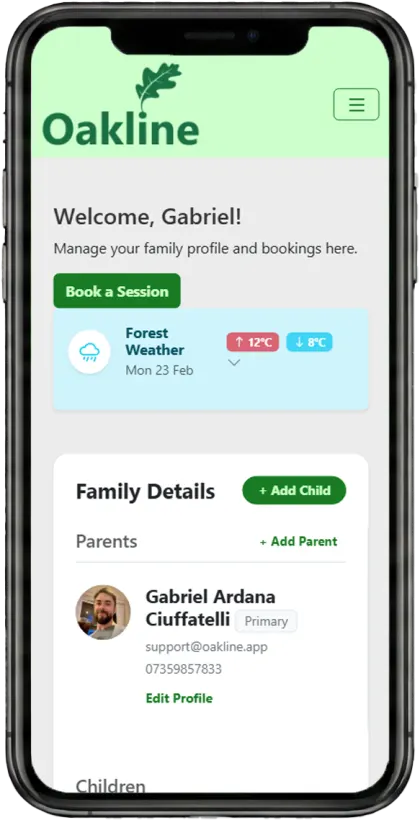
Oakline is an installable Progressive Web App that providers and staff add to a phone, tablet or computer like any other app. What matters in the field is simpler than the technology behind it: your session keeps running when mobile coverage drops. Essential session and child information stays with you, attendance and Learning Journey observations can be recorded, and everything synchronises the moment you're connected again.
Guides and feature details
Use the Help Centre for step-by-step guidance or check the feature matrix for current availability and conditions.
Designed around the work
Oakline keeps the customer journey and the provider workflow connected from the first booking through to session delivery and reporting.
Add Oakline from a supported browser to a phone, tablet or computer home screen. Updates arrive through the web application without a separate store release.
The installed app launches with its own icon and standalone interface, reducing browser clutter while staff work through the day.
Essential session and child information, attendance and Learning Journey observations stay usable in the woods, without relying on mobile signal.
One connected workflow
Providers and staff sign in to their organisation portal, then install the appropriate Oakline experience on supported mobile, tablet or desktop devices. Tenant branding carries into the app icon and interface.
Full offline field capability covers the session register, medical, allergy, dietary, SEND, emergency-contact and payment information, RBA consultation, attendance and Learning Journey observations.
Attendance, accident logs and Learning Journey observations recorded with no signal are queued on the device. Once it reconnects, Oakline synchronises those changes back to the organisation record automatically.
Included capabilities
Questions, answered
Oakline is a Progressive Web App. It uses secure web technology but can be installed on supported devices, launched from an app icon and displayed in its own standalone window.
After signing in, use the supported browser installation or Add to Home Screen option. Oakline then opens from the home screen in its own app window.
Yes. Oakline offers full offline field capability. Session and child information, an existing RBA, attendance and Learning Journey observations remain usable with no signal, and supported changes synchronise automatically once connectivity returns.
No. Full offline field capability covers the session/field workflow. Initial setup, payments, live messages, creating or editing an RBA, and Learning Journey photo uploads still require an internet connection.
Oakline works across current mobile, tablet and desktop browsers. Installation steps and available capabilities vary slightly by operating system and browser.
Create an account without a card, or speak to us about your current booking workflow.