
Plan before anyone arrives
See the full list of children booked in, who has medical, dietary or SEND needs, and who to review before the session starts, not once everyone is already on site.
The working register with child context
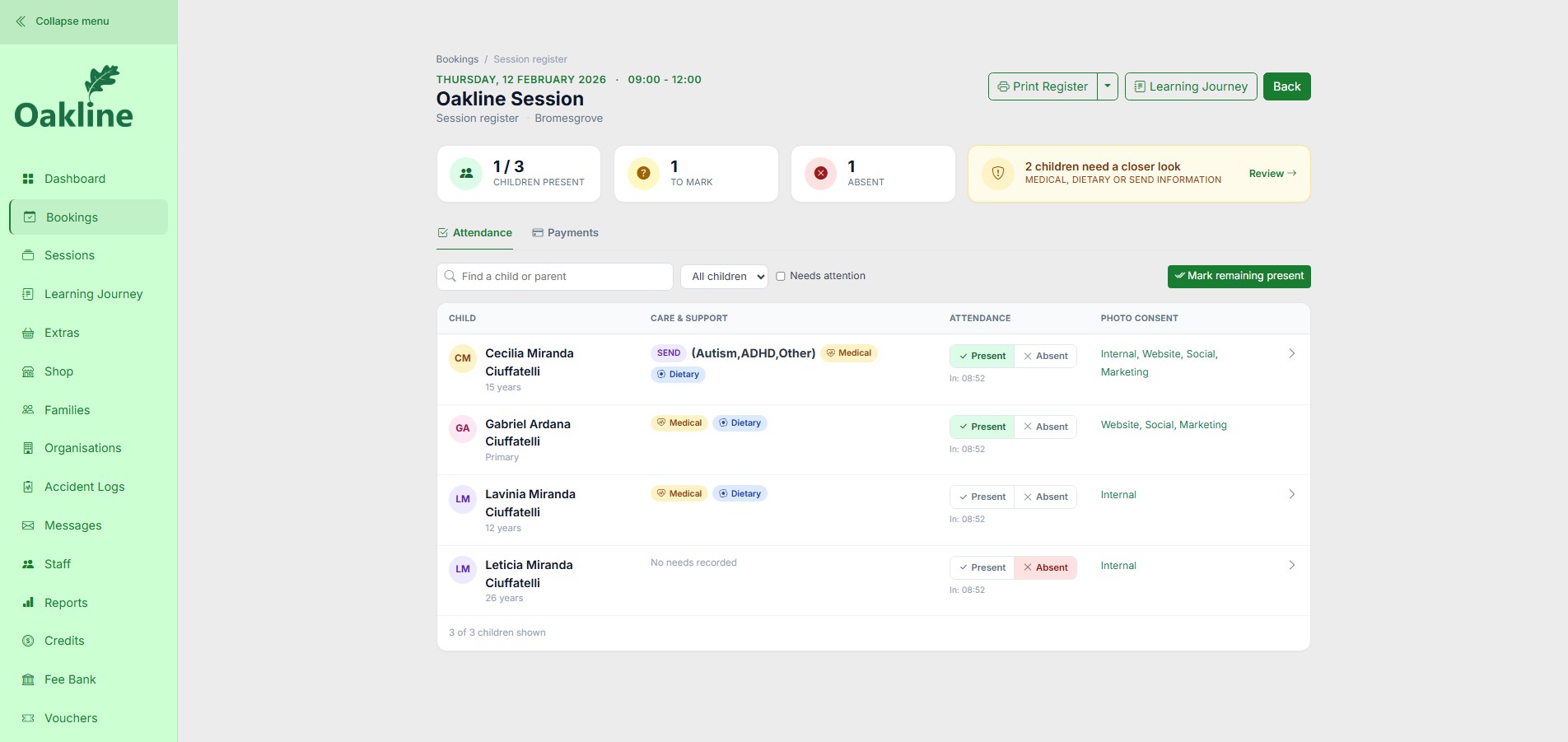
Confirmed bookings become the working register before the session even starts, so your team can see exactly who is coming and what to prepare for. During the session, present, absent and to-mark attendance sit next to each child's medical, dietary, SEND and emergency information, and every mark feeds straight into the Learning Journey and Accident Logs.
Guides and feature details
Use the Help Centre for step-by-step guidance or check the feature matrix for current availability and conditions.
Designed around the work
Oakline keeps the customer journey and the provider workflow connected from the first booking through to session delivery and reporting.
See the full list of children booked in, who has medical, dietary or SEND needs, and who to review before the session starts, not once everyone is already on site.
Every child on the register shows a Medical, SEND or Dietary badge at a glance, with the full detail, including known triggers, calming strategies, allergies and medication, one tap away.
Open a child's record during the session to reach up to two emergency contacts, GP or surgery details and consent information without leaving the register.
One connected workflow
Families maintain children, health, SEND, dietary, contact and consent information through their private family portal, so the register your team sees on session day is already up to date.
Active bookings create the occurrence register automatically, reducing the need to retype names or reconcile a second attendance list.
Marking a child present connects straight through: it feeds the Learning Journey for that session, and only children actually present on the register can be selected when a member of staff logs an accident or incident.
Attendance and key medical and SEND alerts remain available with no signal, as part of Oakline's full offline field capability. Detailed online child-file fields and fresh server data still require connectivity.
Included capabilities
Questions, answered
The register and child record require an authenticated provider or staff account within the tenant. Oakline separates provider, staff and family portals, but providers remain responsible for assigning appropriate access and staff responsibilities.
Yes. Parents can maintain child information in their family portal, while the provider reviews the same information as the operational record used for sessions.
The register links directly to that session's Learning Journey. It also determines who is eligible for an accident or incident record: only children marked present on the register for that date can be selected when staff log an accident, so the log always reflects who was actually on site.
No. Attendance and key alerts are available with no signal as part of the offline register. The full online child record, fresh updates and workflows outside this field capability require connectivity.
Yes. The working register includes a print layout and can be saved as a PDF using the browser print dialogue.
Create an account without a card, or speak to us about your current booking workflow.