
Choose an available slot
Families book against a real party occurrence so availability and capacity reflect your timetable.
A complete party, not a collection of forms
Offer available party slots, collect the organiser booking and manage invited guests from one event record. Extras, balances and rescheduling remain connected to the party.
Designed around the work
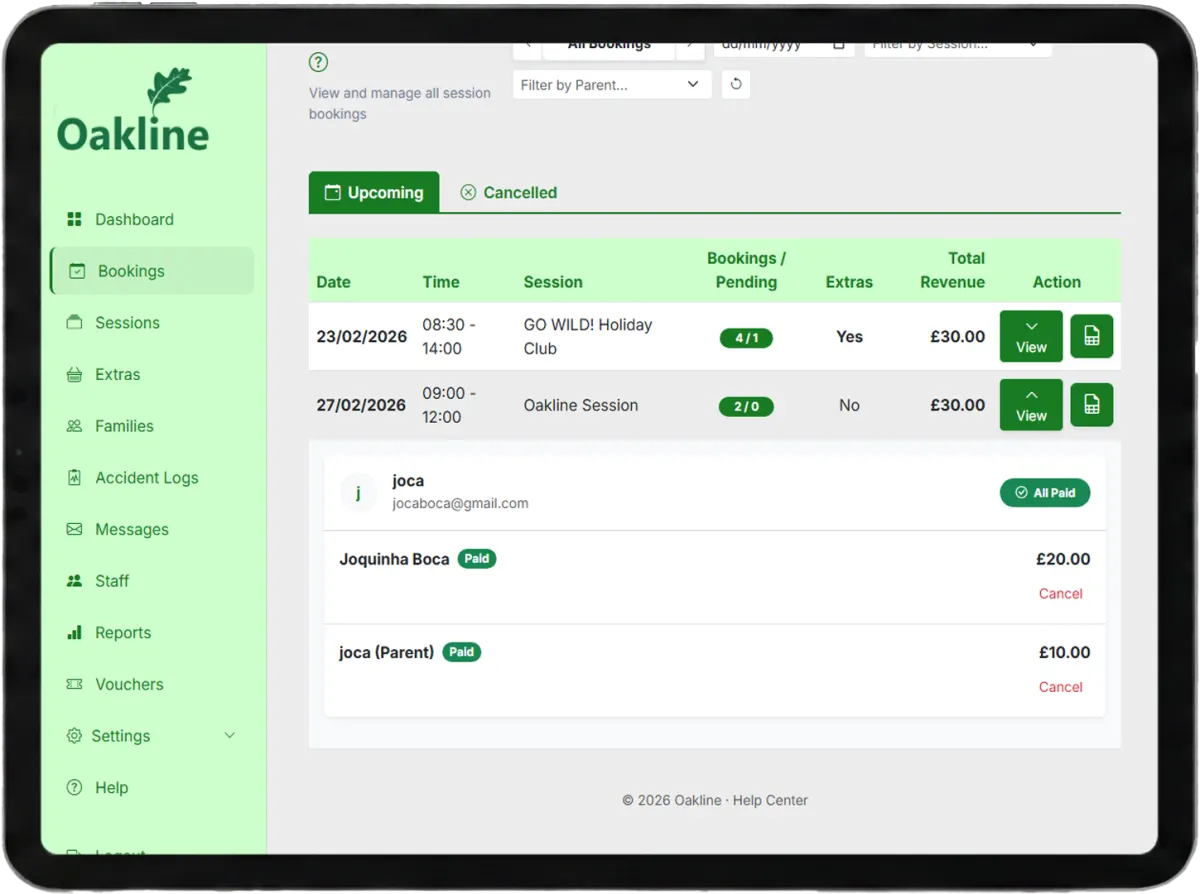
Oakline keeps the customer journey and the provider workflow connected from the first booking through to session delivery and reporting.
Families book against a real party occurrence so availability and capacity reflect your timetable.
Collect a deposit, track the remaining balance and offer food, activities or other configurable extras.
The organiser can share an invitation link and accepted guests remain attached to the party when its date changes.
One connected workflow
The party booking, event details, occurrence and guest list are treated as one workflow rather than separate bookings.
Rescheduling updates the event and its guests together so the previous slot can be safely released for another customer.
Deposits, extras and balance payments are visible from the booking, giving the provider and organiser a clearer picture.
Included capabilities
Questions, answered
Yes. Party sessions can require an initial deposit and retain an outstanding balance for later payment.
Yes. Oakline creates an invitation flow connected to the booked party.
The event and its guest records move together to the new occurrence.
Yes. Providers can configure extras with prices and quantities for the organiser to select.
Create an account without a card, or speak to us about your current booking workflow.